
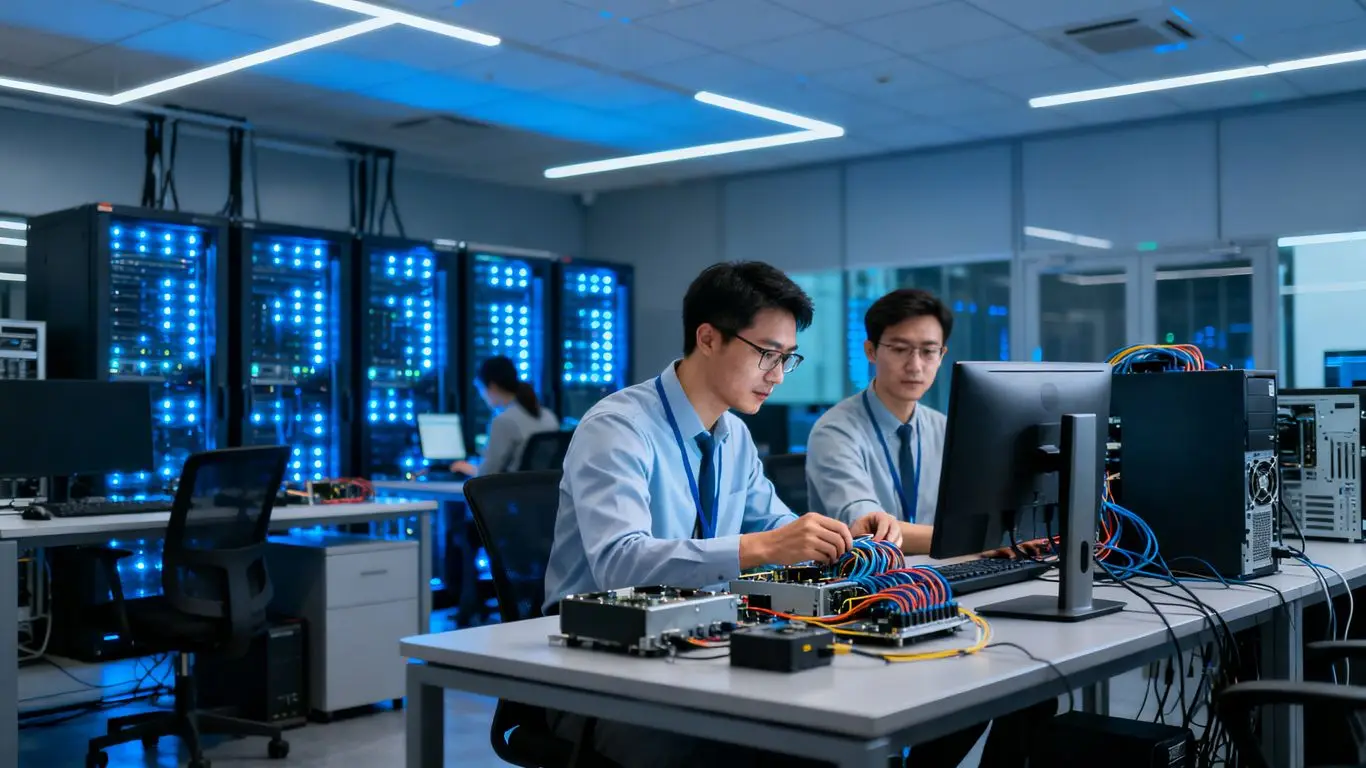
In today’s business world, keeping your technology running smoothly is a big deal. When things go wrong with computers or networks, it can really slow you down. That’s where good IT support services come in. They help fix problems quickly and also work to stop them from happening in the first place. This article looks at how getting the right IT support can make your business run better.
Key Takeaways
- Getting IT support that responds quickly helps your business work more efficiently.
- Using smart tools, like AI and tracking systems, can make IT support better.
- A good internal knowledge base helps employees solve their own tech problems.
- Being proactive about IT issues prevents problems before they start.
- Choosing expert IT support services offers access to skills and can be cost-effective.
Leveraging Expert IT Support Services for Business Efficiency
In today’s business world, things move fast. Keeping your technology running smoothly is a big part of that. When your computers, networks, or software act up, it can really slow things down. That’s where good IT support comes in. It’s not just about fixing problems when they happen; it’s about making sure things run well all the time so your business can do its best work.
Understanding the Value of Responsive IT Support
When something goes wrong with your tech, you need help fast. Waiting around for a fix means lost time and lost money. Responsive IT support means that when you report an issue, someone is there quickly to help sort it out. This kind of quick help stops small problems from becoming big headaches. It means your team can get back to their tasks without long delays. The faster issues are resolved, the less impact they have on your daily operations.
Think about it: if your main sales system goes down, how much business do you lose every hour it’s offline? Having a support team that understands this urgency and can act fast makes a huge difference. It’s about keeping things moving and making sure your employees aren’t stuck waiting for tech to work.
Having a reliable IT support system in place means you can focus on running your business, not on fixing your computers. It’s a partnership that helps keep everything on track.
Aligning IT Support with User Needs and SLAs
IT support isn’t just for the IT department; it’s for everyone in the company who uses technology. To be truly effective, IT support needs to understand what people actually need. This means listening to employees about the problems they face and what would make their work easier. It also involves setting up Service Level Agreements (SLAs). These are promises about how quickly certain issues will be addressed. For example, an SLA might state that critical system failures will be responded to within 15 minutes.
Here’s how aligning support with needs and SLAs works:
- Gather Feedback: Regularly ask employees about their IT experiences and challenges.
- Define SLAs: Create clear agreements on response and resolution times for different types of issues.
- Monitor Performance: Track how well the IT support team is meeting these SLA targets.
- Adjust as Needed: Update SLAs and support processes based on feedback and performance data.
This approach makes sure that IT support is not just a technical service, but a business partner that helps everyone work better. It’s about making sure the support you get actually helps you do your job.
Streamlining Knowledge Sharing for Faster Resolutions
When IT support staff have easy access to information, they can solve problems much faster. This is where a good knowledge base comes in. It’s like a library of solutions to common problems. When a new issue comes up, the support team can check the knowledge base first. If the solution is there, they can apply it quickly. If not, they can document the new solution for next time.
This sharing of information can happen in a few ways:
- Internal Wiki/Database: A central place where IT staff can document fixes and procedures.
- Regular Team Meetings: Discussing challenging issues and sharing solutions.
- Training Sessions: Making sure everyone on the support team knows about new tools and common problems.
By making it easier for IT staff to share what they know, you speed up how quickly problems get solved. This means less downtime for everyone and a more efficient IT department. It’s a way to build up collective knowledge so that the team as a whole gets smarter and faster over time. This kind of setup is key for remote IT support to work effectively, as it allows for quick access to information regardless of location.
Implementing Advanced Tools for Superior IT Support
In today’s business world, just having IT support isn’t enough. You need support that’s quick, smart, and uses the best tools available. This means looking beyond basic help desks and embracing technology that can really make a difference in how efficiently your IT issues get sorted. The right tools can automate a lot of the repetitive work, freeing up your support team to tackle the trickier problems that need a human touch. It’s all about making things smoother and faster for everyone involved.
Utilizing AI-Powered Software for Task Automation
Artificial intelligence is changing the game for IT support. Think about tasks like sorting through incoming support requests, figuring out which ones are most urgent, or even answering common questions. AI can handle a lot of this automatically. This means your support staff doesn’t have to spend hours on routine jobs. They can focus their energy on complex issues that require real problem-solving skills. This not only speeds up how quickly problems get fixed but also makes the support team’s job more engaging. For businesses looking to get the most out of their IT support, exploring AI tools for IT service management is a smart move.
Leveraging Centralized Tracking and Reporting Systems
Having all your IT issues and requests in one place is a big deal. Centralized tracking systems mean nothing gets lost in the shuffle. Your team can see what needs attention, who’s working on it, and what the status is. This kind of visibility helps keep things organized and makes sure everyone is on the same page. Plus, these systems can generate reports that show you trends, common problems, and how well your support team is doing. This data is super useful for making smart decisions about your IT strategy and finding ways to improve things over time. It helps you see the bigger picture and plan better for the future.
Selecting the Right IT Tools for an Agile Service Desk
Choosing the right technology is key to having a service desk that can keep up with your business. You want tools that are flexible and can adapt as your needs change. This might include software for managing tickets, tools for remote support, or systems that help your team share knowledge. The goal is to build a support system that’s not just reactive but also proactive, anticipating problems before they happen. An agile service desk means your IT support can respond quickly to new challenges and keep your business running smoothly. It’s about having the right equipment for the job, so your team can perform at its best.
Investing in advanced IT tools isn’t just about buying software; it’s about building a more responsive, efficient, and capable IT support function. These tools help automate tasks, provide clear insights through reporting, and ultimately allow your support team to focus on what matters most: keeping your business running smoothly.
Building a Robust Internal Knowledge Base
A well-organized internal knowledge base is like having a super-helpful assistant available 24/7 for your team. It’s a central place where all the important information about how to fix common tech problems, use software, or understand company IT policies is stored. This means employees can often find answers themselves without needing to wait for IT support. Think of it as a digital library for all things tech within your company.
Empowering Employees with Self-Service Solutions
Giving your staff the tools to solve their own issues is a big win. When people can quickly look up how to reset a password or connect to the VPN, they get back to work faster. This reduces the number of simple tickets that flood the IT help desk, freeing up technicians to handle more complex problems. It also makes employees feel more capable and less reliant on others for basic tasks. A good knowledge base makes this self-service possible.
Ensuring Effective Search Functionality and Content Maintenance
Having a knowledge base is one thing, but making sure people can actually find what they need is another. The search function needs to be smart. It should understand what someone is looking for even if they don’t use the exact technical terms. This means investing in search technology that can interpret natural language queries. Beyond search, keeping the information up-to-date is vital. Outdated guides can cause more confusion than help. Regular reviews and updates, perhaps quarterly, based on new software versions or common issues reported, are necessary. This keeps the knowledge base reliable and trustworthy.
Fostering Collaboration and Continuous Improvement
An internal knowledge base shouldn’t just be a one-way street. It’s a great place to encourage teamwork. Allow employees to leave comments, suggest edits, or even contribute new articles if they’ve found a solution that isn’t documented yet. This collaborative approach helps build a richer, more accurate resource over time. It also creates a culture where sharing knowledge is valued, leading to faster problem-solving for everyone. This continuous feedback loop is key to making the knowledge base a living, breathing tool that truly supports your business operations. You can find more information on how to structure these internal resources by looking at internal knowledge bases.
A well-maintained knowledge base reduces the burden on IT staff, speeds up issue resolution, and increases overall employee productivity by providing immediate access to solutions and information.
Proactive Strategies for Seamless IT Operations
Keeping your business running smoothly means looking ahead, not just reacting when something breaks. This section is all about getting ahead of IT problems before they even start. It’s about making sure your systems are stable and ready to go, so your team can focus on their work without IT headaches.
Anticipating and Preventing Potential IT Issues
Instead of waiting for a server to crash or a network to go down, proactive IT support involves regular checks and maintenance. Think of it like getting regular check-ups for your car; it helps catch small problems before they become big, expensive ones. This includes things like updating software, checking hardware health, and monitoring network traffic for any unusual patterns. It’s about having a plan to keep things running well.
- Regular system updates and patching: This is key to closing security gaps and fixing bugs that could cause trouble.
- Hardware health monitoring: Keeping an eye on servers, computers, and network gear to spot signs of wear and tear.
- Network performance analysis: Watching how data flows to identify bottlenecks or potential issues before they slow things down.
- Security audits: Regularly checking your defenses to make sure they’re strong against new threats.
The goal here is to shift from a break-fix model, where you only call IT when something is wrong, to a preventative model. This means your IT provider earns their keep by stopping problems before they happen, rather than just fixing them after the fact. It’s a smarter way to manage your technology.
Ensuring Fast Response Times for Critical Incidents
Even with the best preventative measures, unexpected issues can still pop up. When they do, it’s important to have a system in place to deal with them quickly, especially if they’re stopping your business in its tracks. This means having clear steps for reporting problems and making sure the right people are notified right away. A well-defined process helps get things back online faster.
Here’s a look at how response times can be managed:
| Incident Priority | Target Response Time | Example Scenario |
|---|---|---|
| Critical | Within 15 minutes | System-wide outage, data loss |
| High | Within 1 hour | Key application not functioning, significant performance degradation |
| Medium | Within 4 business hours | Minor software issue affecting a single user, printer malfunction |
| Low | Within 1 business day | Feature request, general inquiry |
Optimizing Uptime for Maximum Business Productivity
Ultimately, all these efforts are aimed at one thing: keeping your systems running. High uptime means your employees can do their jobs without interruption, which directly impacts your business’s productivity and bottom line. It’s about making sure your technology is a tool that helps you succeed, not a source of frustration. Partnering with a managed service provider can help achieve this by offering proactive monitoring and maintenance that keeps systems available when you need them most.
Scalable IT Support for Business Growth
As your business expands, your technology needs change. What worked when you had ten employees might not be enough when you reach fifty. Scalable IT support means your technology solutions can grow alongside your company, without missing a beat. It’s about having a plan and the right partners in place to handle increased demands, new systems, and more complex operations.
Expanding IT Capabilities as Your Business Evolves
Growth brings new challenges. You might be adding more users, implementing new software, or even opening new locations. Your IT support needs to keep pace. This means having access to resources that can adapt. Think about adding more help desk staff during peak times, or bringing in specialists for a new project. It’s not just about fixing problems; it’s about building a technology foundation that supports your future plans. This is where managed IT services for small and medium-sized businesses (SMBs) come in handy, offering support that can grow with you [e3c5].
Accessing Dedicated Support When You Need It Most
Sometimes, you need more than just general help. When a critical system goes down or you’re rolling out a major upgrade, having dedicated support makes all the difference. This could be a specific team assigned to your account, or access to senior technicians for complex issues. It’s about knowing that when you really need help, it’s there, quickly and effectively. Companies experiencing IT challenges due to growth often find proactive managed IT services helpful in modernizing and scaling operations [9085].
Tailoring IT Solutions to Meet Unique Business Demands
Every business is different. Your industry, your team size, and your specific goals all shape your IT requirements. Generic solutions rarely fit perfectly. Scalable IT support involves customizing services to match your current needs while also anticipating future ones. This might mean adjusting security protocols as you handle more sensitive data, or optimizing network performance as your user base grows. It’s about getting IT support that’s built for your business, not just any business.
Here’s what tailored support can look like:
- Flexible Service Desk: Adjusting staffing levels or hours based on your operational tempo.
- Customized Security: Implementing security measures that align with your industry’s compliance needs and data sensitivity.
- Strategic Planning: Regular reviews to ensure your IT infrastructure supports your evolving business objectives.
- Scalable Infrastructure: Cloud solutions that can easily expand or contract based on demand.
The ability to scale IT support is not just about handling more tickets; it’s about adapting the entire technology strategy to match the company’s trajectory. This proactive approach prevents IT from becoming a bottleneck to growth and instead turns it into an enabler.
Comprehensive IT Support Services Offered

When your business technology hits a snag, having a reliable support system is key. We provide a range of services designed to keep your operations running smoothly, no matter what.
Help Desk and Technical Support for Issue Resolution
Our help desk acts as your first point of contact for any IT-related questions or problems. Think of it as your go-to for quick fixes and guidance. We handle everything from software glitches to hardware issues, aiming to get you back to work fast. Our technical support team steps in for more complex challenges, using their know-how to diagnose and solve problems that might otherwise halt your progress. We focus on clear communication and efficient problem-solving to minimize disruption.
Remote and On-Site Assistance for Immediate Needs
We understand that issues don’t always happen during business hours, and sometimes a problem needs a hands-on approach. That’s why we offer both remote and on-site support. Remote assistance allows us to connect to your systems and fix many issues without needing to be physically present, which means faster resolutions for common problems. For situations that require a physical presence, our technicians can come to your location to provide direct assistance. This dual approach ensures you get the help you need, when and where you need it.
Business Continuity Planning and Disaster Recovery Strategies
Unexpected events can happen, and being prepared is vital for keeping your business running. We help you develop and implement plans to ensure your operations can continue even if disaster strikes. This includes strategies for data backup and recovery, so your important information is safe and can be restored quickly. We also look at how to maintain critical business functions during and after an event. Having a solid plan in place gives you peace of mind and protects your business from significant setbacks. You can learn more about data protection with the 3-2-1 backup rule.
Preparing for the unexpected is not just about having backups; it’s about having a clear, tested plan that everyone understands. This plan should cover how to communicate, who is responsible for what, and how to get back to normal operations as quickly as possible. Regular reviews and updates to this plan are just as important as creating it in the first place.
The Advantages of Partnering with IT Support Experts
Gaining Access to Extensive IT Expertise
When you bring on IT support experts, it’s like suddenly having a whole team of seasoned pros on your side. These folks have seen it all – from the simplest printer jam to the most complex network security breach. They’re not just good at fixing things; they understand the underlying technology and how it all fits together. This means they can often spot potential problems before they even happen, which is a huge win for keeping your business running smoothly. Instead of trying to figure out a tricky software update yourself, you have people who do this for a living, day in and day out. It’s about getting that specialized knowledge without having to hire a full-time, in-house team for every single IT specialty.
Achieving Cost Efficiency Through Subscription Models
Think about the cost of hiring, training, and retaining a full IT department. It adds up fast. Partnering with IT support experts often comes with a predictable subscription model. This means you pay a set amount each month, making budgeting much simpler. You avoid those big, unexpected bills that can pop up when something goes wrong. Plus, you get access to a broad range of skills for a fraction of the cost of hiring individuals. It’s a smart way to get top-tier support without breaking the bank. This approach allows businesses to focus on their core operations, knowing their IT needs are covered by professionals.
Ensuring Reliability and Consistent System Uptime
One of the biggest headaches for any business is unexpected downtime. When your systems go down, work stops, and that costs money. IT support experts focus on keeping your systems running reliably. They implement proactive maintenance, monitor your network constantly, and have plans in place for when things go wrong. This means less time spent dealing with emergencies and more time focused on growing your business. Their goal is to keep your technology working so you can do yours. Having a reliable IT partner means you can count on your systems being available when you need them most, which is critical for maintaining productivity and customer satisfaction. This consistent availability is a key benefit of managed IT services.
Here’s a quick look at what you gain:
- Proactive Monitoring: Catching issues before they impact your operations.
- Rapid Response: Quick fixes when problems do arise.
- Strategic Guidance: Advice on technology that fits your business goals.
- Reduced Downtime: Keeping your business up and running.
Partnering with IT support experts transforms technology from a potential roadblock into a smooth, reliable engine for your business. It’s about gaining peace of mind and freeing up your internal resources to concentrate on what you do best.
Working with IT pros can really help your business. They handle all the tech stuff so you can focus on what you do best. Imagine not worrying about computer problems or online threats! If you want to see how we can help your company grow, visit our website today.
Frequently Asked Questions
What exactly is IT support, and why do businesses need it?
IT support is like having a tech helper for your company. It’s a service that helps fix computer problems, set up new devices, and make sure all your technology works smoothly. Businesses need it because when computers or software don’t work right, it can stop work from getting done, costing time and money. Good IT support keeps everything running so you can focus on your business.
How can expert IT support make my business run better?
Expert IT support can make your business run better in many ways. They can fix problems quickly, which means less downtime for your employees. They also know about new technology that can make your work easier and faster. Plus, they can help keep your computer systems safe from online dangers, like viruses or hackers.
What's the difference between remote and on-site IT support?
Remote IT support means the helper fixes your computer problem from their own office using the internet. It’s usually faster for simple issues. On-site support means the helper comes to your office to fix the problem. This is better for bigger issues or when a computer can’t connect to the internet.
How does IT support help with business growth?
As your business grows, you’ll likely need more computers or new technology. Expert IT support can help you choose the right tools and set them up correctly. They can also make sure your computer systems can handle more users and more work, so your technology keeps up with your business as it gets bigger.
What is a Service Level Agreement (SLA) in IT support?
A Service Level Agreement, or SLA, is like a promise between you and the IT support company. It says what kind of service they will give you, like how quickly they will respond to a problem. It helps make sure you get the support you need, when you need it.
Why is having a knowledge base important for IT support?
A knowledge base is like a digital library of answers to common tech questions. When employees can look up answers themselves, they can often fix simple problems without waiting for help. This saves everyone time and makes things run smoother. It also helps the IT support team by reducing the number of simple questions they have to answer.
